Getting verified
The ID check and the mobile number that put your listings live, in the order you do them, and how long each takes.
Nothing of yours is public until you are verified. That is the point of the badge: a buyer who sees Verified on Purry knows a person's identity was checked before a single cat went up.
Every seller on Purry verifies their ID, and you verify a mobile number too. There is no application and no subscription. Choose Individual on Sell, and the steps below are all there is.
The order
- Write your listing and press Publish.
- Pay the $5 listing fee on Stripe, or use your free first listing. What it costs has the details.
- Verify your identity, once for your account.
- Verify your mobile number, once for your account.
Until both checks pass, your listing says Waiting for ID check, with "Public as soon as your ID check passes.", and your Purry profile is not public either. Once they pass, your listing goes live with no further step, and later listings go live as soon as they are paid for.
Verify your identity
Every seller on Purry verifies their identity, so buyers know who they are talking to.
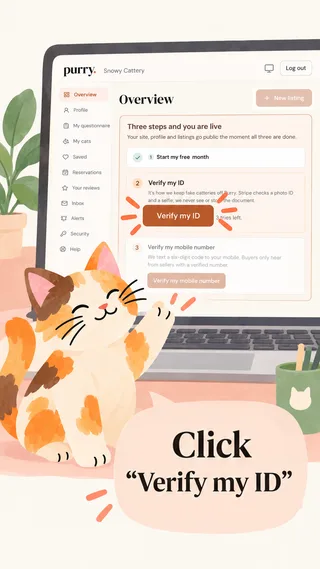
1. Click Verify my ID
On your dashboard, click Verify my ID to get started.
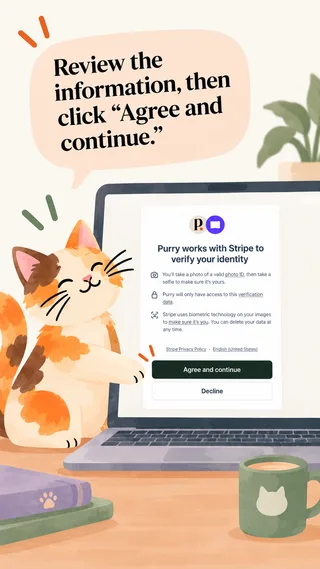
2. Agree and continue
Purry uses Stripe to verify your identity securely. Review the information, then click Agree and continue.
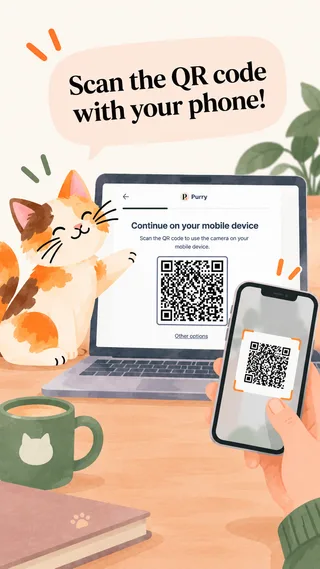
3. Continue on your phone
On a computer, scan the QR code with your phone.
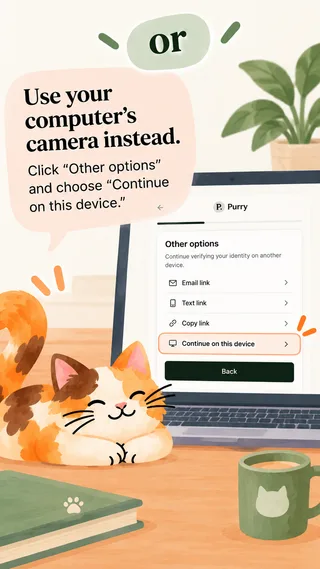
4. Or use your computer's camera
Click Other options and choose Continue on this device.
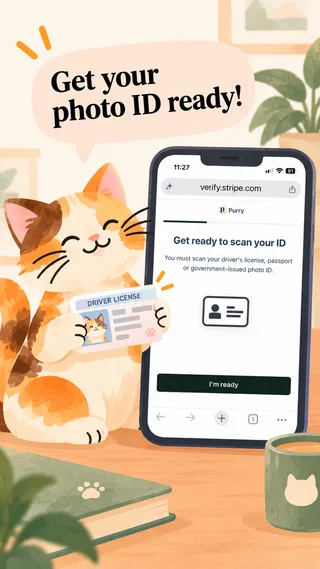
5. Get your ID ready
Have your government-issued photo ID ready, tap I'm ready and allow camera access.
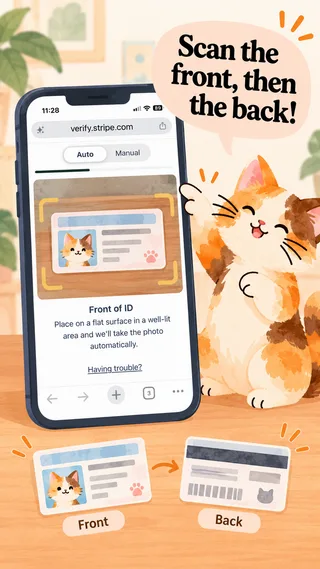
6. Scan your ID
Place it on a flat surface in good light. Stripe captures it automatically, or switch to Manual. Scan both sides if asked.
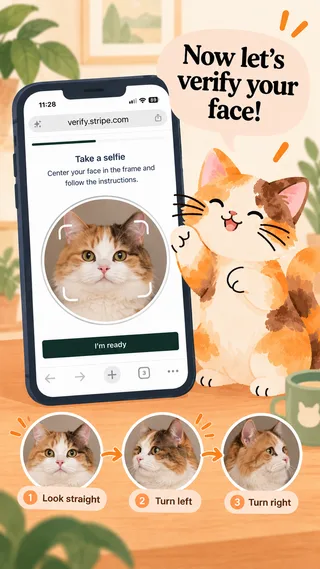
7. Face verification
Look straight ahead, then turn left and right as instructed.
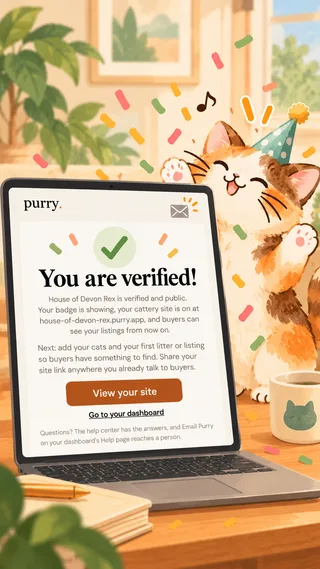
8. You're verified!
You get a confirmation email from Purry. If anything needs another look, we contact you.
It confirms you are who you say you are, which makes scams much harder. Stripe checks a photo ID and a selfie; we never see or store the document. All we keep is that the check happened and the name it verified.
Your verified name is compared with the name on your account and, when you paid a listing fee, the name on the card you paid with. If they do not match, a person at Purry looks rather than turning you down. Once the check passes, the name on your Profile is your Verified name; to change it, use Request a change there and a person at Purry updates it.
While Stripe is checking, your dashboard says Stripe is checking it now. If Stripe cannot verify your document or your selfie, the dashboard says why and you try again. You have three tries, and a try counts only once you submit your ID to Stripe; after the third, a person at Purry looks at it. If you start the check and leave before finishing (pressing Back on Stripe's page, say), your dashboard offers Continue verifying my ID, where you left off, or Start over with a fresh check; neither uses a try. A check left unfinished for a day is cleared, and you start it again from the dashboard.
When it passes we email you, You are verified on Purry, and your listings that were waiting are public.
Your mobile number
Verify your mobile number is on your dashboard's setup list, after Verify your identity. We text a code to a mobile number from a phone carrier. VoIP numbers (Google Voice among them), landlines and toll-free numbers are refused, and no code is sent to them.
One phone, one verified account: a number already verified on another Purry account cannot be verified on yours. The number is never shown to buyers. Your listings wait for it as they wait for the ID check, your free first listing needs it, and you need it to reply to buyers; if you have not verified it yet, the reply box asks for it and sends your reply once you have.
If you change your number on your Profile, the old one comes off at once and the new one is verified the same way. Until it is, your live listings stay up, but you cannot publish or edit a live listing.
The badge
Once you are verified, your listings and your Purry profile carry Verified on Purry, the same badge a breeder has. A breeder whose registry a person has checked also carries the Registry Checked chip; an Individual seller has no registry check.
Listings go live in the United States, Canada, the United Kingdom, Japan and Europe, each in its own currency: US dollars, Canadian dollars, pounds, yen or euros, set by your country. Sellers anywhere else can be verified and set up their profile now; listings open in your country once prices can be shown in your currency, and until then you can write them as drafts.
What verification is not
It is a check on identity, not a warranty on an animal. We do not inspect your home, and we do not test cats. Buyers are told this plainly, and they are told to meet the cat.
Losing it
We can withdraw verification if it turns out to have been obtained with false information, and we can suspend an account for mistreatment of animals, scam behavior or repeated buyer complaints. The seller agreement is the binding version of that sentence.